
Wallet-style phone cases
Showing 1–20 of 95 results
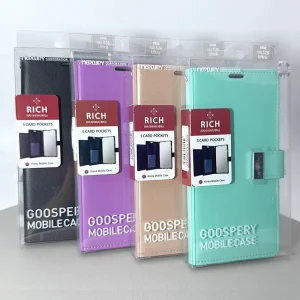
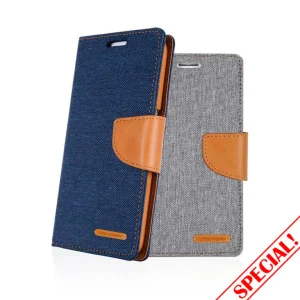
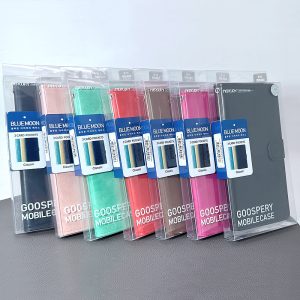

Browse wallet-style phone cases through the Skyline Mobile wholesale catalogue. This page groups related products for Australian mobile accessory retailers and repair businesses. Use the individual product listings to confirm specifications, dimensions or compatibility, order quantities and current availability. If a category contains a mix of products, check the details of each item rather than assuming that all items are interchangeable.
Frequently asked questions
What will I find in the Wallet case category?
The category groups relevant items currently offered in the catalogue; review individual product listings for the exact range.
How do I check compatibility and specifications?
Use the item descriptions to confirm dimensions, model suitability, connectors and other relevant specifications.
How do I check wholesale ordering requirements?
Refer to the account and product ordering information shown on the site, including pack details and availability.
How can businesses reduce mismatched orders in the Wallet case range?
Confirm the customer's intended device or use before choosing a stock-keeping unit. Compare the product code, relevant measurements and the compatibility information published for that specific item. Keep similar-looking variants clearly separated in internal inventory and on shelf labels. Where a phone, tablet or connector has several generations, record the full model name rather than a shortened family label. Check purchase terms before ordering and follow the supplier's stated process when a description needs clarification.
What makes a useful Wallet case category page for trade customers?
A useful category page should explain what buyers are browsing, how this range differs from nearby categories and which product details determine suitability. It should give buyers a straightforward way to narrow down devices or functions while leaving specifications, stock and prices to the individual listings. Relevant frequently asked questions can clarify common purchase decisions, but they should not repeat identical sales claims. The category description should stay consistent with products actually shown on the page.
Which practical checks matter before adding Wallet case items to an online store?
Check that every item has a clear product identity, a usable image, an accurate category assignment and the correct variation details. Describe only supported functionality, and distinguish items that appear similar but have different fit or electrical requirements. Where the supplied details do not establish a feature, leave that claim out until it is confirmed. This is especially important when shoppers cannot handle the product before checkout and must make decisions using the online listing.
How do I confirm the exact device before selecting a Wallet case case?
Check the exact phone model and variant using the device's settings, model number or original documentation, then compare that identification with the individual accessory listing. A similar marketing name is not enough when generations or variants have different body dimensions, buttons or camera assemblies. Review the product photographs and any explicitly stated compatibility list. If the listing does not name the customer's model, do not promise a fit; request clarification before purchase.
Are cases for similarly named Wallet case models necessarily interchangeable?
No. Even when two devices sit in the same family, their exterior measurements and the positions of cameras, buttons, ports or speakers can differ. Some accessories may fit several explicitly listed models, but that compatibility must be confirmed for the particular product. Treat combined category names as a way of browsing rather than proof that every item fits every named variant. For wholesale stock records, preserve the complete compatibility list at item level.